Floating Touch: A Personalized Floating Tool For You!

Download in Google Play
Introduction:
Assistive touch comes from iPhone, but Floating Touch is specially designed for Android.
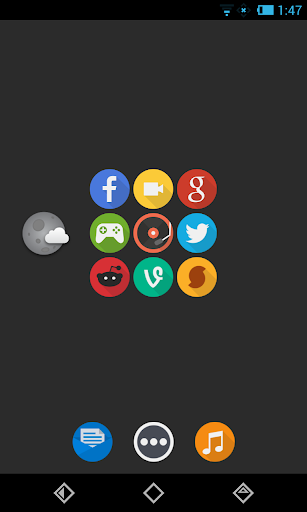
Floating Touch is a button floats on your screen over other apps, and you can move it to anywhere. It contains most commonly used switches of Android system and all installed apps, you can control your device or open your favor app easily without exiting current app.

What’s special:
1. Customizing the panel functions, pick your most commonly used switches or favor apps
2. Creating folder for apps or switches
3. Changing the floating button style, or DIY your own button.
4. Changing the panel's color.
5. Can be hidden to the status bar, when user needs the full screen mode without any interference.

Features list:
1. Clear memory
2. Back/Home button(Need ROOT)
3. Favor apps
4. Recent apps
5. System switches
-Screen brightness
-Ring mode
-Bluetooth
-Wifi
-GPS
-APN(Mobile network)
-Rotation
-Flashlight
-Airplan mode
-Volume up
-Volume down
-Expand status bar

FAQ
Why I cannot uninstall Floating Touch?
The "Lock screen" feature requires activating device administrator, you have to deactivate it in security settings before installing.
There are two ways to uninstall it:
1. Open floating touch, go to settings page, find the "Uninstall" option. (Recommend)
2. First, go to "System settings" -> "Security settings" -> "Device administrators" deactivate "Floating Touch", then uninstall Floating Touch in a normal way.
How can I hide the floating button temporarily?
When you are doing something in full screen mode, and you don’t want to share the screen with any other apps, Please Long Press the floating button, to hide it to the status bar of the phone.
And if you need it back to screen, please tap it in the status bar, then Floating Touch can be launched easily.

Download in Google Play
Introduction:
Assistive touch comes from iPhone, but Floating Touch is specially designed for Android.
Floating Touch is a button floats on your screen over other apps, and you can move it to anywhere. It contains most commonly used switches of Android system and all installed apps, you can control your device or open your favor app easily without exiting current app.
What’s special:
1. Customizing the panel functions, pick your most commonly used switches or favor apps
2. Creating folder for apps or switches
3. Changing the floating button style, or DIY your own button.
4. Changing the panel's color.
5. Can be hidden to the status bar, when user needs the full screen mode without any interference.
Features list:
1. Clear memory
2. Back/Home button(Need ROOT)
3. Favor apps
4. Recent apps
5. System switches
-Screen brightness
-Ring mode
-Bluetooth
-Wifi
-GPS
-APN(Mobile network)
-Rotation
-Flashlight
-Airplan mode
-Volume up
-Volume down
-Expand status bar
FAQ
Why I cannot uninstall Floating Touch?
The "Lock screen" feature requires activating device administrator, you have to deactivate it in security settings before installing.
There are two ways to uninstall it:
1. Open floating touch, go to settings page, find the "Uninstall" option. (Recommend)
2. First, go to "System settings" -> "Security settings" -> "Device administrators" deactivate "Floating Touch", then uninstall Floating Touch in a normal way.
How can I hide the floating button temporarily?
When you are doing something in full screen mode, and you don’t want to share the screen with any other apps, Please Long Press the floating button, to hide it to the status bar of the phone.
And if you need it back to screen, please tap it in the status bar, then Floating Touch can be launched easily.